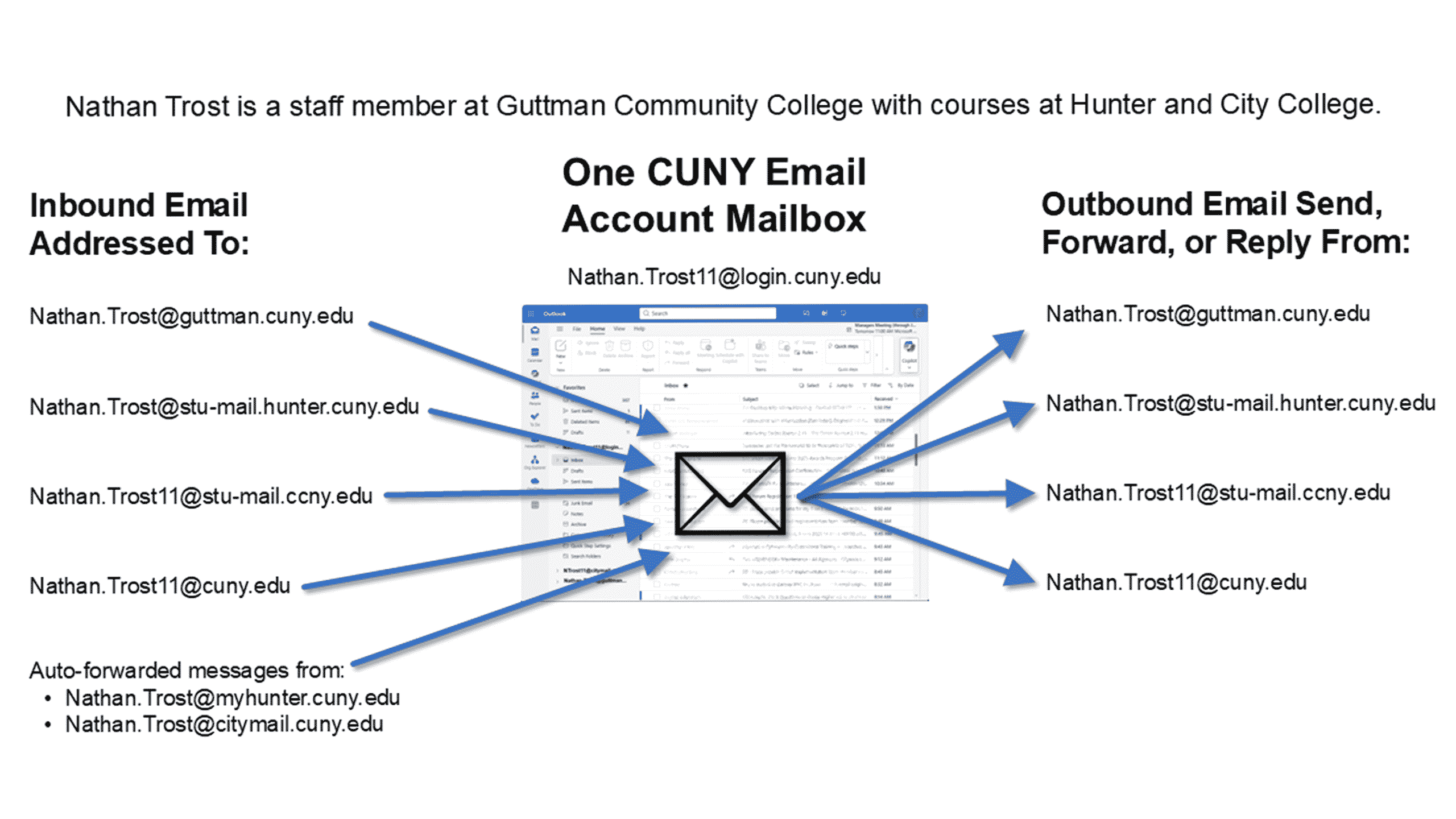
Students’ new CUNY email account and associated mailbox in Microsoft 365 is their CUNY Login username followed by @login.cuny.edu:
Firstname.Lastname##@login.cuny.edu
The following email addresses are automatically associated with the students’ new CUNY email account and mailbox:
- Firstname.Lastname##@stu-mail.(Campus Acronym).cuny.edu– the new college-assigned email address(es) for the student
- For SLU this will be Firstname.Lastname##@stu-mail.slu.cuny.edu
- Firstname.Lastname##@cuny.edu – the student’s new CUNY email address
Post-transition, all the students’ inbound email sent to any of their legacy college or CUNY email addresses will be received in the new CUNY account mailbox. The new CUNY mailbox will also receive the auto-forwarded messages from their old, college-based email account. Students can choose to send email from any of the email addresses associated with their new CUNY email account.
Example for Students with Multiple College Email Addresses
For students attending multiple colleges or are working at one college while attending another, having a single email account and mailbox for all their assigned email addresses makes it easier in managing emails.
For example, Nathan Trost is a staff member at Guttman Community College with courses at Hunter College and City College. Today, he would have the following, separate email accounts and mailboxes to manage:
Nathan.Trost@guttman.cuny.edu
Nathan.Trost@myhunter.cuny.edu
Nathan.Trost@citymail.cuny.edu
Following the email transition, Nathan would manage all his email inbound and outbound email for all of his college and CUNY email addresses from his new Nathan.Trost11@login.cuny.edu CUNY email account as shown/described in the below graphic and accessible text description sections that follow.